How to Start VR Development in 2026: A Beginner Guide
 By Miheer Jasani
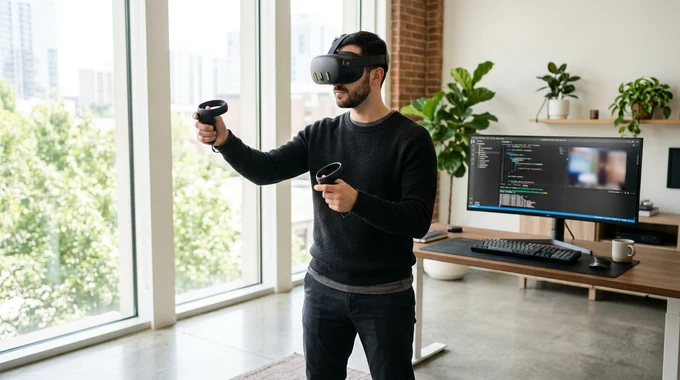
Virtual reality has evolved from an experimental tech demonstration into a proven multi-billion dollar commercial industry. Across enterprise workforce training, industrial digital twins, medical simulation, architecture, and interactive gaming, businesses worldwide are using spatial computing to solve challenges that traditional flat screens cannot touch.
If you are an entrepreneur planning a commercial VR product or an enterprise leader looking to train workers safely, understanding how to start VR development in 2026 is critical. Building an immersive experience requires specialized hardware understanding, real-time 3D graphics optimization, and ergonomic spatial design.
Whether you choose to build internal technical capabilities or hire an experienced VR development company like MEPROTECH, this comprehensive guide outlines the exact hardware standards, software toolsets, production phases, and strategic decisions required to launch a high-performance virtual reality application.
Primary Hardware Standard: Standalone six-degrees-of-freedom (6-DoF) headsets like the Meta Quest 3, Quest 3S, and Apple Vision Pro dominate both consumer and enterprise adoption, requiring zero tethered cables.
OpenXR Framework: Modern VR applications are built on OpenXR open industry standards, allowing a single unified codebase to deploy across Meta, Apple, Pico, and PC VR platforms.
Non-Negotiable Frame Budget: Virtual reality applications must maintain an unwavering 72 to 90 frames per second on mobile processors to prevent visual judder and eliminate motion sickness.
Studio Partnership Advantage: Partnering with a specialized custom virtual reality development studio saves organizations over $150,000 in upfront hardware, recruitment, and engine trial-and-error costs.
1. Choosing Your Target VR Hardware Ecosystem
The first strategic decision for any virtual reality project is selecting the hardware platform your end users or employees will wear. In 2026, commercial hardware falls into two main categories:
- Standalone Wireless Headsets: Devices like the Meta Quest 3, Meta Quest 3S, and Pico 4 Enterprise are fully self-contained. They require no external tracking sensors and no high-powered gaming computers. They are the top choice for scalable enterprise training, remote staff onboarding, and consumer gaming due to their affordability and portability.
- High-Fidelity Spatial Computing & PC VR: Premium devices like the Apple Vision Pro and tethered PC headsets target high-end medical procedures, complex mechanical CAD visualization, and luxury real estate walkthroughs where photorealistic lighting and micro-detail textures are essential.
2. The Essential VR Software Tech Stack
Building an interactive virtual reality application requires three tightly integrated technology layers:
- The Real-Time Engine (Unity): Unity is the undisputed global standard for commercial VR application development. Its lightweight mobile runtime, Universal Render Pipeline (URP), and expansive asset ecosystem make it ideal for delivering high-framerate spatial experiences on mobile VR chipsets.
- OpenXR & Interaction Toolkits: Rather than writing proprietary code for each controller brand, modern studios use OpenXR and standardized interaction systems to handle hand tracking, controller gestures, physical grab mechanics, and virtual teleportation.
- Optimized 3D Asset Creation: Spatial computing demands rigorous 3D modeling. 3D assets must undergo retopology, polygon decimation, and texture atlasing to ensure dense virtual environments run smoothly without overheating mobile headsets.
3. Step-by-Step Commercial VR Production Roadmap
Professional VR development follows a disciplined 5-phase engineering lifecycle designed to eliminate budget risk and validate user comfort early:
| Project Phase | Key Engineering Activities | Deliverable | Typical Timeline |
|---|---|---|---|
| 1. Discovery & Spatial UX | User journey mapping, physical room scale planning, ergonomic interaction wireframing | Interactive Technical Architecture Document | 1 to 2 Weeks |
| 2. 3D Asset Pipeline | CAD model conversion, low-poly environment modeling, PBR material creation, lighting baking | Optimized 3D Spatial Environment | 3 to 6 Weeks |
| 3. Mechanics & Logic | Hand physics, two-handed tool manipulation, procedure checklists, UI panels, sound design | Playable Functional Alpha Build | 4 to 8 Weeks |
| 4. Performance Optimization | Draw call batching, shader tuning, thermal throttling profiling, maintaining 90 FPS | Polished Beta Build with Zero Frame Judder | 2 to 4 Weeks |
| 5. Deployment & MDM | App store publishing, enterprise MDM kiosk configuration, remote analytics setup | Commercial Production Launch | 1 to 2 Weeks |
4. Building In-House vs. Partnering with a Specialized VR Studio
Before allocating capital, enterprise executives must evaluate whether building an internal virtual reality team makes financial sense compared to working with a dedicated studio partner:
| Strategic Dimension | Building an Internal VR Team | Partnering with MEPROTECH |
|---|---|---|
| Upfront Capital Required | High: hiring 3D artists, Unity engineers, and test headsets ($180,000+ per year) | Predictable: fixed milestone pricing tied directly to agreed deliverables |
| Time to Market | 4 to 6 months spent sourcing, recruiting, and onboarding specialized talent | 3 to 5 weeks to launch first interactive prototype using battle-tested frameworks |
| Optimization Experience | Steep learning curve managing draw calls, mobile thermals, and motion sickness risks | Immediate access to senior spatial computing engineers with shipped titles |
| Staffing Flexibility | Ongoing payroll overhead during maintenance and post-launch phases | Elastic engagement that scales up during builds and down during operations |
5. Crucial VR Design Rules to Prevent Motion Sickness
Unlike traditional 2D software, a poorly designed virtual reality application can cause literal physical discomfort for your users. Professional developers follow strict spatial ergonomics:
- Guaranteed Frame Rates: Frame drops cause visual stutter, which confuses the inner ear. Studios enforce strict draw-call budgets to ensure 72 to 90 FPS is maintained across all scene areas.
- Locomotion Ergonomics: Never force sudden camera acceleration or unprompted artificial movement. Provide teleportation and snap-turn options for comfortable navigation.
- Diegetic Spatial UI: Avoid locking flat text boxes to the user's headset view. Instead, position interactive clipboards, tablets, or floating 3D panels anchored naturally within the virtual scene.
Related reading: Top VR Development Tools in 2026, How Much Does It Cost to Build a VR App in 2026? and Virtual Reality Development: What It Is and How It Works.
6. Why Enterprise Leaders Choose MEPROTECH for VR Development
At MEPROTECH, we design and build enterprise-grade virtual reality training simulators, interactive product visualizers, and spatial applications that deliver measurable business results.
When you partner with MEPROTECH, you gain:
- Specialized Spatial Engineering: Deep technical mastery of Unity, OpenXR, WebXR, Meta Quest, Apple Vision Pro, and SteamVR ecosystems.
- Full-Service Asset & Code Production: Our in-house team creates custom 3D models, textures, animations, and clean modular C# architecture under one roof.
- Enterprise Security & LMS Integration: We connect VR simulations to your corporate SCORM, xAPI, and LMS systems so trainee performance scores sync automatically with your employee database.
- Rigorous Hardware Profiling: Every simulation is profiled on real target hardware to ensure zero motion sickness, low thermal load, and long headset battery life.
- Complete Client IP Ownership: All code, 3D meshes, and documentation belong completely to your organization.
7. Frequently Asked Questions
How long does it take to develop a custom VR app?
A focused proof of concept or single-procedure training module typically takes 4 to 8 weeks. Comprehensive multi-scenario enterprise training platforms or multiplayer titles require 3 to 6 months depending on 3D asset volume and backend integration.
Do our employees need powerful gaming computers to use the VR app?
No. We specialize in standalone VR development for headsets like the Meta Quest 3 and Pico 4. The application installs and runs directly on the wireless headset without needing any external computer or cables.
Can MEPROTECH convert our existing CAD files into VR?
Yes. We take industrial CAD models, architectural BIM data, or product design files, clean their polygon geometry, optimize their textures, and integrate them into interactive real-time VR simulations.
How can I get an estimate for my VR project?
Contact our solutions team through our website. We will discuss your goals, hardware requirements, and target timeline to provide a detailed, fixed-price project proposal.
From employee safety training simulations to spatial consumer experiences, MEPROTECH transforms your vision into a high-performance virtual reality product.
Ready to get started? Learn more about our custom AR and VR development services or book a technical discovery consultation with MEPROTECH today.